

Learn about the User Dropdown Menu features and functionality
When you click on your Username (top right of the screen), a dropdown menu will appear with the following options:
Clock In / Clock Out
PIN-based clocking ensures secure and accurate time tracking.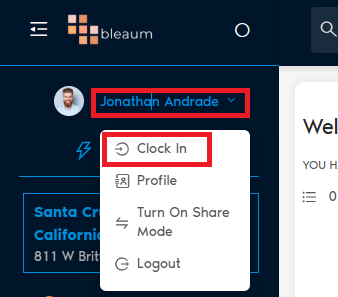
Profile Section
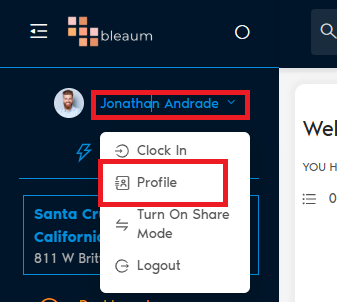
Inside Profile, there are three tabs:
Personal Details

- Upload your profile picture.
- Edit your name and phone number.
- Upload additional documents you want attached to your profile.
PIN Settings
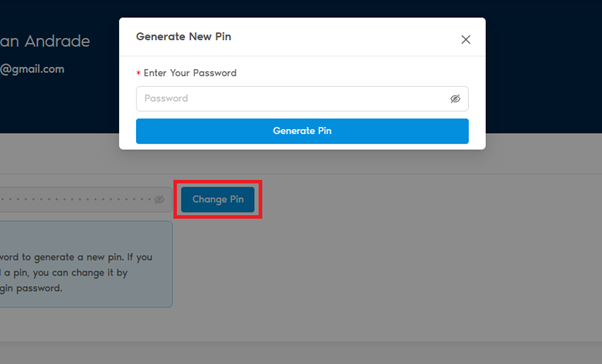
- Set or change your PIN used for Clock In/Out and order processing.
- How:
- Enter your current password.
- Create or update your new PIN.
QR Code
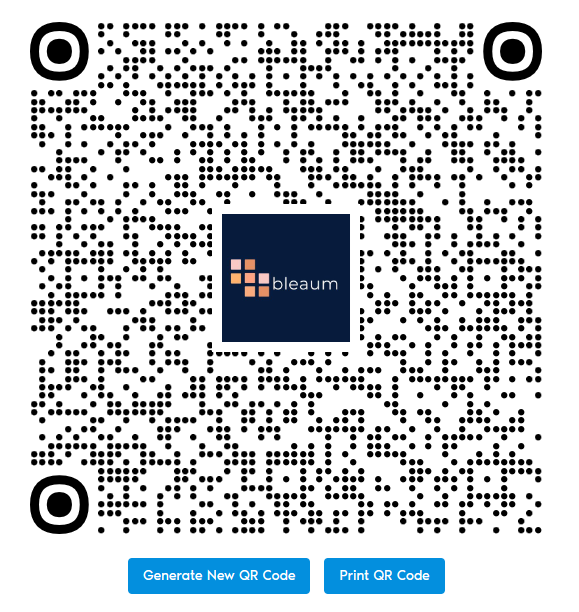
- Generate a new QR code tied to your profile.
- Print your QR code if desired.
- Uses of QR Code:
- Quickly sign into the platform without typing your organization key, username, or password.
- Manager Approvals: Scan your QR code when a manager approval is needed.
Turn on Share Mode

Purpose:
If multiple teammates share the same tablet or computer, Share Mode allows smooth user transitions.
How it Works:
- When processing an order, you will be asked to input your PIN.
- The order will be logged under the teammate who entered the PIN.
- Keeps orders and clocking accurate even when using the same device.
- Perfect for busy retail environments or shift-based teams.
Logout
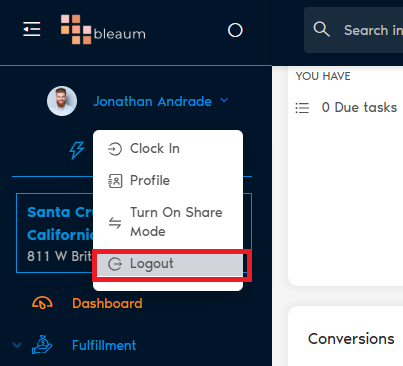
- Click Logout to immediately sign out of the platform.
- You will be redirected to the login page.
Quick Summary
The User Dropdown Menu empowers team members to securely clock in/out, manage their profile and PIN, quickly log in with QR codes, enable device sharing, and securely log out — all from one easy-to-access spot.