
Learn about the Side Settings Panel and its features for managing your POS system
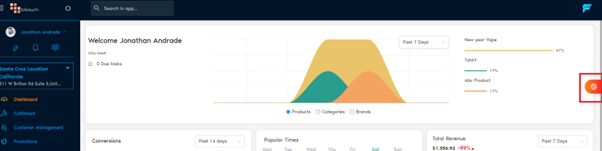
Side Settings Panel (Spinning Gear Icon)
The Side Settings panel has three main tabs:
- Queue
- Activity
- Personalize
Each tab helps you manage the flow of your shop, your customers, and your POS experience.
Queue Tab
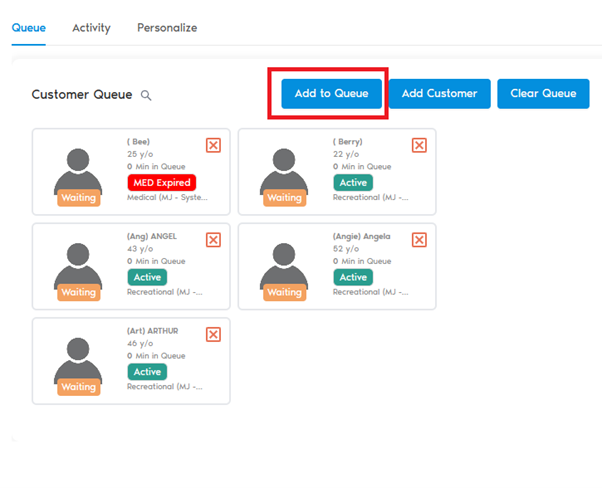
Manage customers entering your shop with three main actions:
Add to Queue
- Add Customer
- Upload customer medical ID or driver’s license manually, scan ID, or upload images.
Add Customer
- Customer Queue
- Manage customers entering your shop with three main actions:

Customer Queue
Activity Tab
Track every action happening in your shop.
| What It Shows | Details |
|---|---|
| Activity Type | Description of the action taken (e.g., Customer Added, Product Edited). |
| Date and Time | Precise time of each action. |
Every change, addition, deletion, and update in the system is logged for transparency and accountability.
Personalize Tab

Customize your POS interface to suit your style and workflow:
Appearance Settings
- Light or Dark Mode: Choose your preferred theme.
- Color Options: In Light Mode, select different color themes for accents.
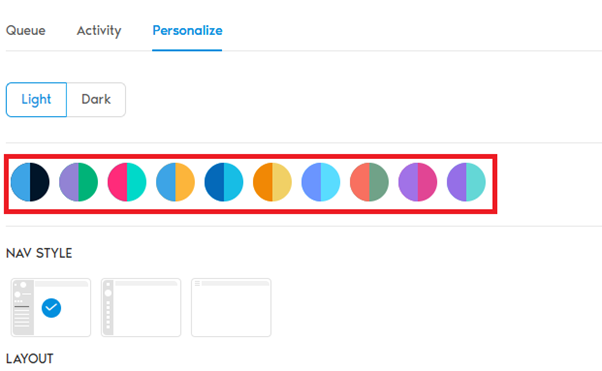
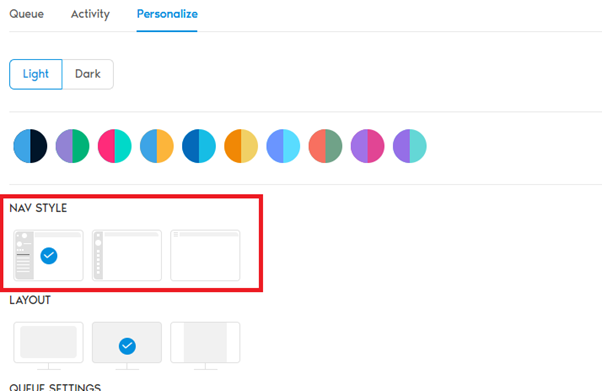
- Navigation Style: Adjust navigation layout according to preference.
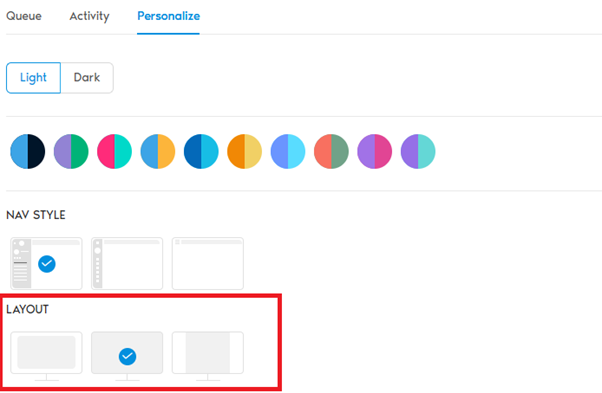
- Layout Options: Fit different screen sizes and devices.
Queue Settings
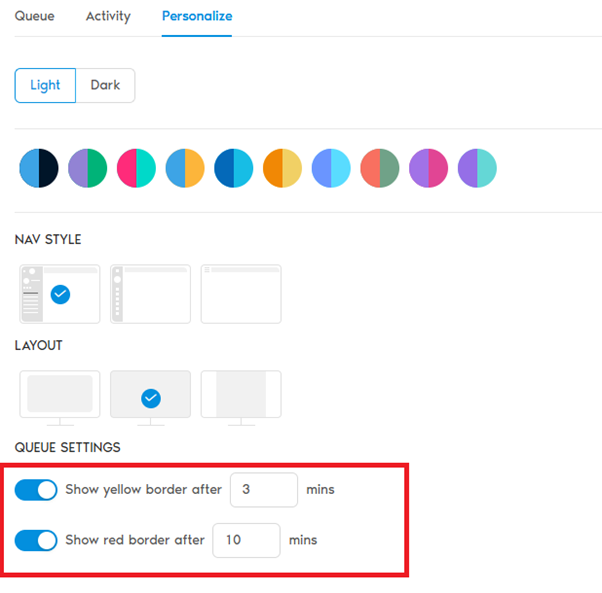
- Yellow Border Timer:
- Set a time (in minutes) after which a customer rectangle turns yellow in the queue — warning wait time.
- Red Border Timer:
- Set a time (in minutes) after which a customer rectangle turns red — critical wait time.
- This helps your team quickly identify customers who have been waiting too long.
Default POS Screen
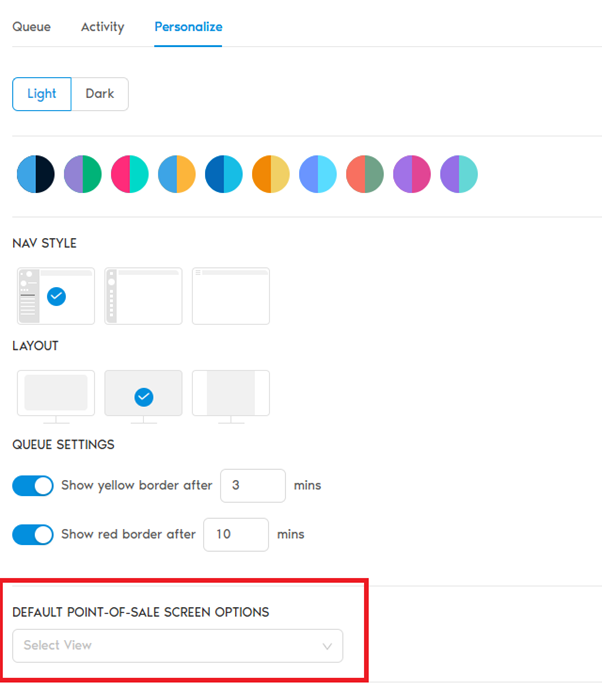
Choose your default view:
- Tablet Mode: Optimized for compact touchscreen devices.
- Computer Mode: Full-size POS view for desktops or large screens.
- Switch at any time using the top right corner button on the POS screen.
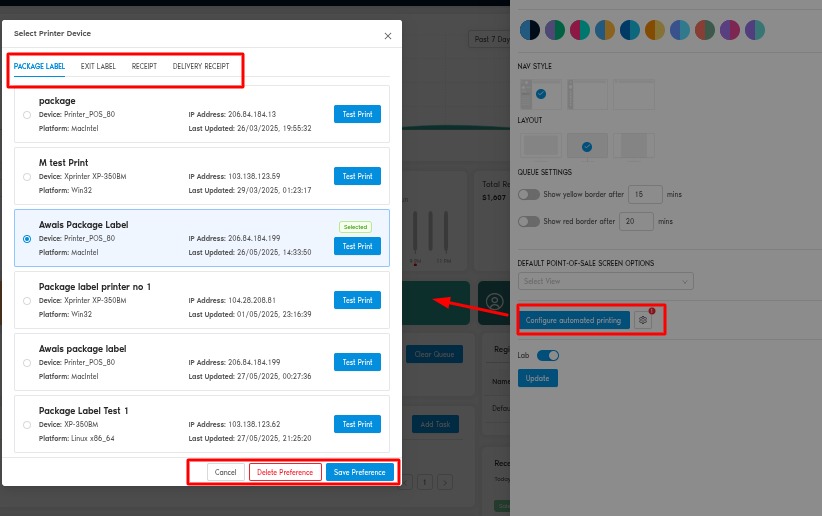
Default Print Type
Choose how you print:
- Browser Print: Print directly from the browser.
- Hardware Print: Use a specified printer device.
Quick Summary
The Side Settings Panel gives you powerful tools to manage customer flow, track shop activity, and personalize the POS experience for smooth daily operations.